|
IPP
stands for
Internet
Printing Protocol.
It is a specialized network protocol
designed for communication without
printer driver installed between
client such as desktop computers,
mobile phones, tablets and printers
or print servers.
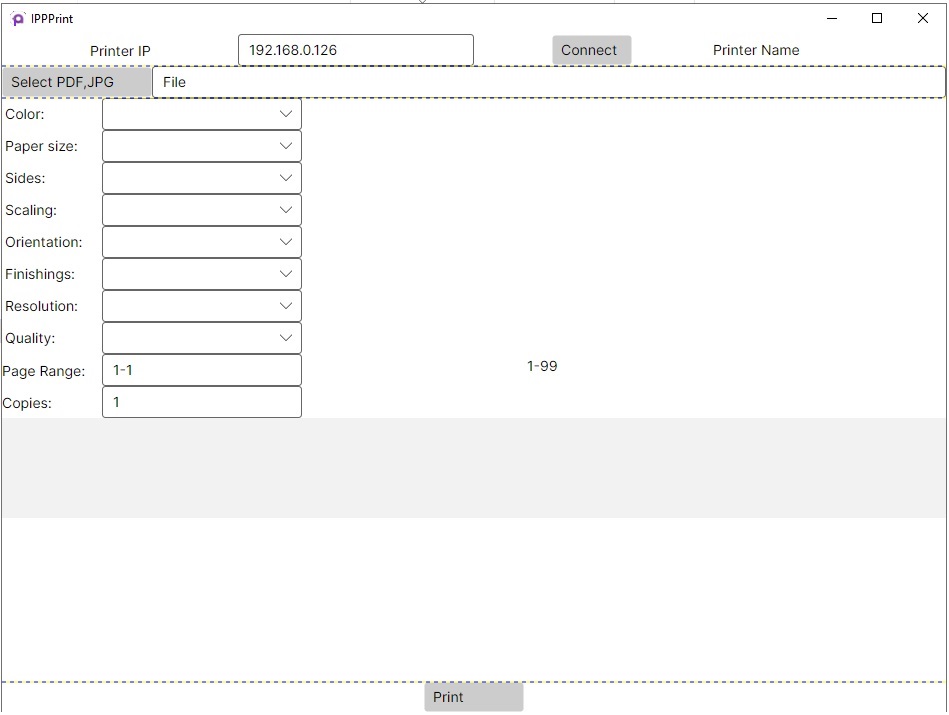
IPPPrint prints file
with IPP (Internet Printing
Protocol/1.1). It is not needed to
install any printer driver. After
connecting IPP printer, retrieve
attributes such as Color, Paper
size, Sides, Scaling, Orientation, Finishings, Resolution, Quality,
Page Range, Copies. It supports all
platforms including Windows (x86,
x64,arm64), Linux
(arm,linux-arm64,musl-x64,x64),
macOS (osx), iOS, Android etc.
Prerequisite Software:
Release
information:
-
Zip file Size: 45.5 MB
(47,752,824 bytes)
-
Version: 1.0.0.0
-
License: Personal use is
free. If commercial use,
please purchase it.
How to launch:
In Windows 10/11,
install .Net Runtime 9.0 first if
you do not install it. Unzip
IPPPrint.zip. Run
IPPPrint.Desktop.exe.
In Linux, install .Net Runtime
9.0 first if you do not install it.
Unzip IPPPrint.zip. Right click
IPPPrint.Desktop.dll. Assign X
(Executing) permission to
IPPPrint.Desktop.dll. Or "chmod +x
IPPPrint.Desktop.dll". Run bash
command "dotnet IPPPrint.Desktop.dll".
The 3 command prompt to check the
.Net Runtime version installed:
dotnet --version, dotnet
--list-runtimes, dotnet --info
Screenshot:
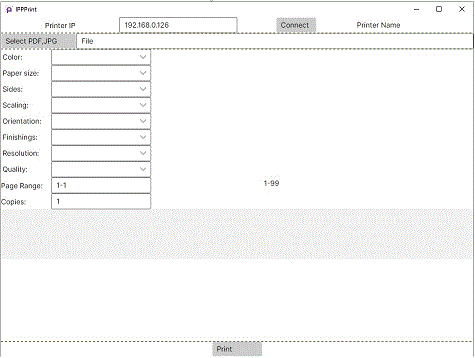
1. Input your printer IP, click the
Connect button.
2. Click the "Select PDF,JPG"
button, select file to print. After
connects with printer, it will get
the file type supported by printer
and set those as extension filters
in the select file dialog box.
3.There are attribute options to be
selected based on IPP Printer
response.
4. Click the Print button. If the file type is not supported by IPP printer directly, you may convert doc to pdf, convert image to jpeg, or convert image to pwg file. The online converter links are the right top of the page.
|
|